


Ever wonder if a small PC could pack a serious punch? Micro ITX systems prove that great power can come in a compact size. They combine impressive performance with a sleek, space-saving design, perfect whether you're building a gaming rig or setting up your home theater. These tiny boards remind us that sometimes the best things truly do come in small packages. In this post, I'll walk you through the standout features and specs of Micro ITX setups, and you might just find that a miniature system is exactly what you need for your next tech project.
Micro ITX Overview: Key Features, Specifications & Ideal Builds
Micro ITX systems pack all the essential features into a neat, compact design that’s perfect for limited spaces. They use Mini-ITX boards measuring just 6.7" x 6.7" (170 x 170 mm), which means you don’t lose out on performance whether you’re crafting a gaming rig or a home theater PC.
These boards usually offer one PCIe x16 slot and two DIMM slots, giving you enough room for a bit of expansion while keeping everything streamlined. It’s like fitting a powerhouse into a small package. Ever think about how a 170 mm square board can drive robust performance in a tiny space?
Take the Asus ROG Strix Z790-I Gaming WiFi, for instance. This board supports Intel Raptor Lake processors, features native PCIe 5.0 NVMe for super-fast storage, and is equipped with DDR5 memory along with a solid 10+1 VRM setup. It's no wonder these boards are loved by those building high-performance gaming rigs or efficient media centers.
When planning your compact motherboard build, it’s key to weigh the benefits of a small footprint against the potential limits on expansion. Keep an eye on the board’s dimensions to ensure it fits your case perfectly, while still giving you the performance you need.
Micro ITX vs Other Form Factors: Size, Expansion & Performance
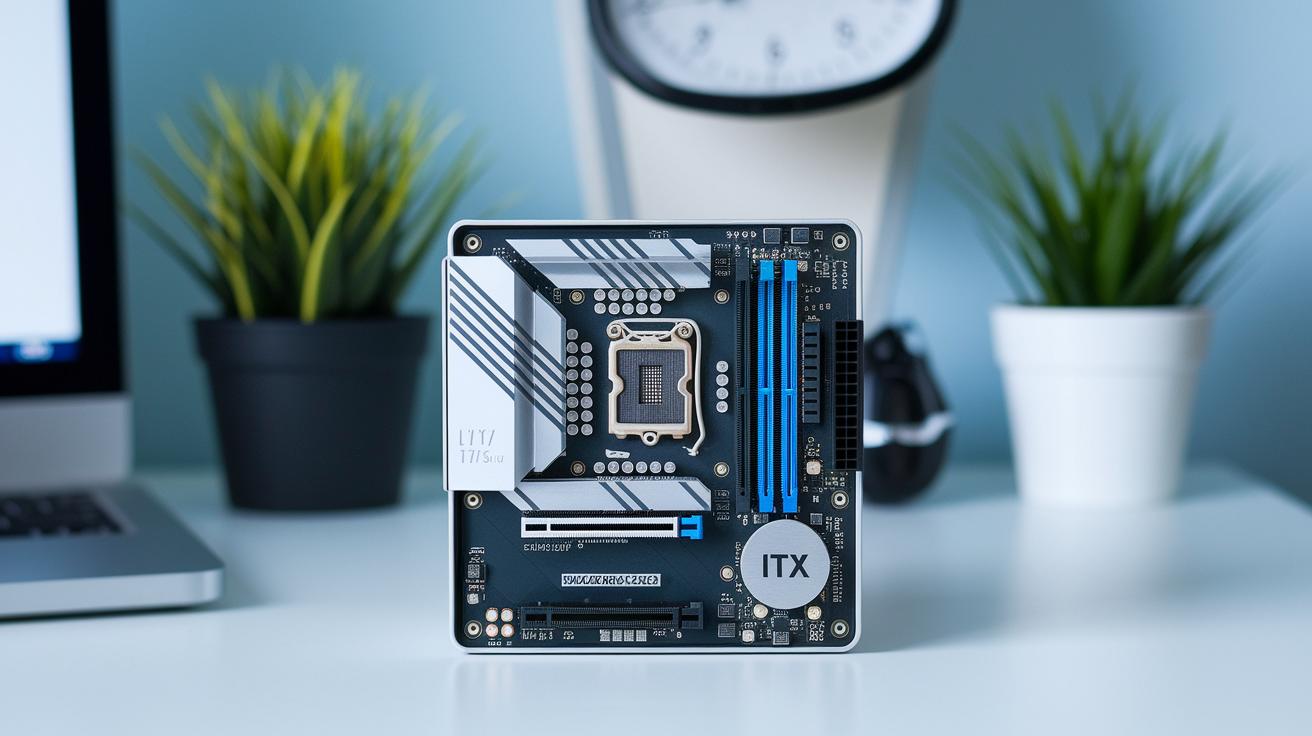
The mini ITX board measures 170 × 170 mm, shaving about 30% off the dimensions of a standard MicroATX board (244 × 244 mm). That reduction makes mini ITX an attractive option when you need every inch of space. Imagine a small board that effortlessly fits into even the coziest corners, it's perfect for tight setups.
A typical mini ITX board comes with just one PCIe x16 slot and two RAM slots. This might seem limiting if you’re planning on adding numerous components later. In contrast, MicroATX boards offer extra PCIe slots and four DIMM slots, giving you more room to expand your system over time.
Still, mini ITX builds pack a punch. They deliver performance that can rival larger systems, making them a favorite for streamlined gaming rigs or home theater PCs in compact spaces. It’s a bit like choosing between a zippy compact car for city driving and a roomy sedan for family trips, the right pick really depends on your size and upgrade needs.
- Compact build benefits
- Moderate expansion capabilities
- Tailored performance profiles
Each form factor brings its own character to the table, catering to different tech scenarios with style and efficiency.
Micro ITX Motherboard Specifications: Component Layout & Upgrade Paths
Micro ITX motherboards are designed for projects in tight spaces where you still need all the must-have features. Take the Asus ROG Strix Z790-I Gaming WiFi board, for example. It brings a PCIe 5.0 x16 slot, a high-speed pathway perfect for modern graphics cards, and two DDR5 DIMM sockets that promise fast memory performance. Plus, dual M.2 NVMe connectors mean your storage runs quickly, while onboard WiFi 6E keeps your connection steady. And with the addition of a USB-C header, you’ve got plenty of options for connecting devices. Its robust 10+1 power-phase VRM makes sure everything stays powered and stable, even under heavy loads.
Standard micro ITX boards also include integrated audio codecs and the essential SATA ports, but they come with fewer PCIe lanes compared to their larger counterparts. Think of it like a high-quality mini toolkit, small yet efficient. You get all the basics you need to kick off a solid build, though there might be a few limits if you plan on adding extra components down the line.
Every slot and port is selected with care to ensure optimal system performance and compatibility. Picking the right chipset is crucial to make sure your processor and peripherals work harmoniously, especially when every millimeter really counts.
Micro ITX Case Designs & Reviews: Materials, Volume & Cost Analysis

Micro ITX cases have really carved out a niche by blending smart design with a compact footprint. Take the Louqe Ghost S1, for example, it offers a 14-liter space that fits a GPU up to 300 mm long. This proves that even a small chassis can house powerful components neatly and efficiently.
Then there’s the Cooler Master NR200. With an internal volume of 18.2 liters, it can handle an AIO cooler up to 280 mm, making it a top pick for those who want great thermal performance. Its design focuses on optimal airflow and tidy cable management, which are key trends in small form factor cases, ensuring you don’t have to sacrifice performance for size.
The NZXT H1 raises the bar by including a built-in 650W power supply in its 17.4-liter enclosure. This thoughtful integration simplifies the build process, minimizes clutter, and leaves extra room for future upgrades. Reviews highlight its smooth internal layout that enhances both cooling and assembly ease.
- Small chassis design review: Cases like these showcase smart engineering by maximizing space while keeping all essential features intact.
- Mini case cost analysis: Prices generally range between $80 and $200, offering options that fit both budget and performance needs.
- Cost evaluation for compact builds: The choice of materials, whether steel, aluminum, or tempered glass, plays a major role in the case’s durability and overall appeal.
For builders seeking compact and dynamic solutions, these designs offer a balanced mix of style, performance, and affordability.
Micro ITX Thermal Management: Cooling Strategies for Ultra-Compact Builds
When building a micro ITX system, its tight space and limited fan mounting options demand some creative cooling ideas. You’ll often find that low-profile CPU coolers, measuring under 65 mm, are the go-to choice since they help keep your processor at a safe temperature without crowding other components. Many builders pair these compact coolers with a 120 mm all-in-one radiator, which can be positioned to boost airflow exactly where you need it. Think of it like a well-designed city where narrow lanes steer traffic exactly where it needs to go.
Optimizing airflow starts with smart placement. Setting a 120 mm radiator at the top takes advantage of heat naturally rising, while a front intake fan delivers a steady supply of cool air. This balanced setup, combining front intake with top exhaust, keeps everything running smoothly. And don’t overlook cable management; neatly tied wires prevent airflow blockages near critical parts such as voltage regulators and M.2 drives.
In ultra-compact builds, you might explore even more inventive cooling methods. Custom ducting or adding extra low-profile fans in tight spots can make all the difference. Every choice, from selecting the right cooler to planning fan placement, plays a key role in maintaining stability and performance. With careful attention to these details, you'll ensure that each component stays cool, even when the system is under heavy load.
Micro ITX Use Cases & Performance Benchmarks for Compact Rigs
Micro ITX setups have carved out a solid reputation in both high-impact gaming rigs and space-conscious workstations. Thanks to innovations like the Asus ROG Strix Z790-I Gaming WiFi board, a sleek 170 × 170 mm design that supports Intel Raptor Lake processors and DDR5 memory, these builds can easily handle smooth 4K60 gaming when paired with a capable discrete GPU.
Recent benchmarks confirm that these mini setups nearly match the performance of their larger ATX cousins in both single- and multi-thread scenarios. Sure, they might warm up a bit more in tight enclosures, but that slight thermal throttling hardly holds them back.
Their versatility makes them a hit for everything from home theater PCs and LAN-party machines to on-the-go workstations. Even if you need your system to fit into a smaller space, you can still enjoy high frame rates and snappy responsiveness during intense gaming sessions. In fact, a finely tuned mini ITX rig can deliver competitive performance and reliability that stands toe-to-toe with bulkier builds, whether you're gaming or working on demanding projects.
Tests in real-world setups show that even with fewer expansion slots limiting upgrade options, these compact systems stay strong over time. The upgrade path might not be as extensive as with ATX models, but there's plenty of room to boost performance with faster SSDs or extra memory when it counts.
Ultimately, building a micro ITX system is a compelling choice for anyone managing space constraints without wanting to compromise on power. The blend of a compact design and dependable performance makes these systems a favorite for users looking for portability and efficiency.
- Compact design paired with robust performance
- Impressive CPU benchmarks that keep pace with larger systems
- Perfect for versatile gaming and productivity setups
Final Words
In the action, this post broke down micro itx boards, from their compact dimensions and core features to their real-world use in gaming and productivity builds. We outlined component layouts, case design reviews, and cooling strategies to help simplify your tech choices. A careful look at performance benchmarks and expansion limits underscored how these tiny boards strike a smart balance between form and function. Enjoy the confidence that comes with clear, actionable insights, and keep building your ideal setup with a positive spirit.
FAQ
What is micro ITX?
The micro ITX is a compact motherboard form factor measuring about 170×170 mm, offering essential features in a small design perfect for space-saving builds.
How does micro ITX compare to mini ITX and MicroATX in size?
The micro ITX and mini ITX share the same compact dimensions of 170×170 mm, while MicroATX boards are larger at roughly 244×244 mm, providing more slots but taking up more space.
Which motherboard form factor is smaller, mini ITX or micro ITX?
The mini ITX and micro ITX are identical in size, both offering a compact 170×170 mm footprint that is ideal for tight spaces and minimalistic setups.
What are the downsides of mini ITX builds?
Mini ITX builds often come with limited expansion options, such as single PCIe slots and fewer DIMM options, which might restrict future upgrades compared to larger boards.
Which offers better airflow, mini ITX or MicroATX?
MicroATX cases generally allow more space for improved airflow, while mini ITX builds need careful thermal planning to maintain proper cooling in the compact case volume.
What features define a micro ITX motherboard?
A micro ITX motherboard typically includes one PCIe x16 slot, two DIMM slots, and onboard connectivity, making it a great choice for HTPCs, portable workstations, and gaming builds.
Are there micro ITX motherboards for AM4 and AM5 processors?
Yes, micro ITX motherboards are available for both AM4 and AM5 platforms, incorporating support for modern features like PCIe 5.0 and DDR5 memory in a compact design.
What is a micro ITX build?
A micro ITX build involves assembling a computer using a micro ITX motherboard and matching compact case, ideal for users looking for powerful performance in a small footprint.