


Ever wonder if your online world is really secure? With ESET Internet Security, you get trusted, real-world protection powered by the NOD32 engine. It defends against malware, phishing, and a host of other cyber threats, all while keeping your digital life running smoothly.
This software goes beyond the basics. It filters unwanted emails, blocks unauthorized camera access, and even safeguards your financial transactions using a secure banking browser. The design is clever too, it works quietly in the background, leaving plenty of system resources free so your device stays fast and responsive.
Curious about how ESET’s approach is setting a new standard in cyber defense? Stick with us to discover how this game-changing technology is keeping your digital space safe every step of the way.
eset internet security: Confident Digital Defense
ESET Internet Security stands out with its advanced features powered by the trusted NOD32 engine. It offers robust protection against malware, phishing, and exploits in real time. With tools like host intrusion prevention, a reliable firewall, and privacy features that block web-based attacks, it keeps your online world safe. Plus, it includes a safe banking browser optimized for secure financial transactions, an effective spam and email filter for POP3/IMAP, and webcam protection to stop any unauthorized camera access. Fun fact: lab tests show it detects threats over 99% of the time while using only about 5% CPU and 50 MB of RAM at idle.
Pricing is designed to work with a variety of budgets and needs, with packages ranging from $28 to $188 per year. For example, the ESET Home Security Essential package bundles several features, costing $49.99 per year for a single license, with each extra license only adding $5. And with support available at 1-888-808-1230, it's easy to see why millions of people trust ESET. It also runs smoothly on major platforms like Windows, macOS, and Android, ensuring a consistent security experience no matter which device you use. Users really appreciate the strong performance combined with minimal system impact, making it a dependable choice in today’s competitive cybersecurity market.
Installing ESET Internet Security: Download, Activation, and Setup
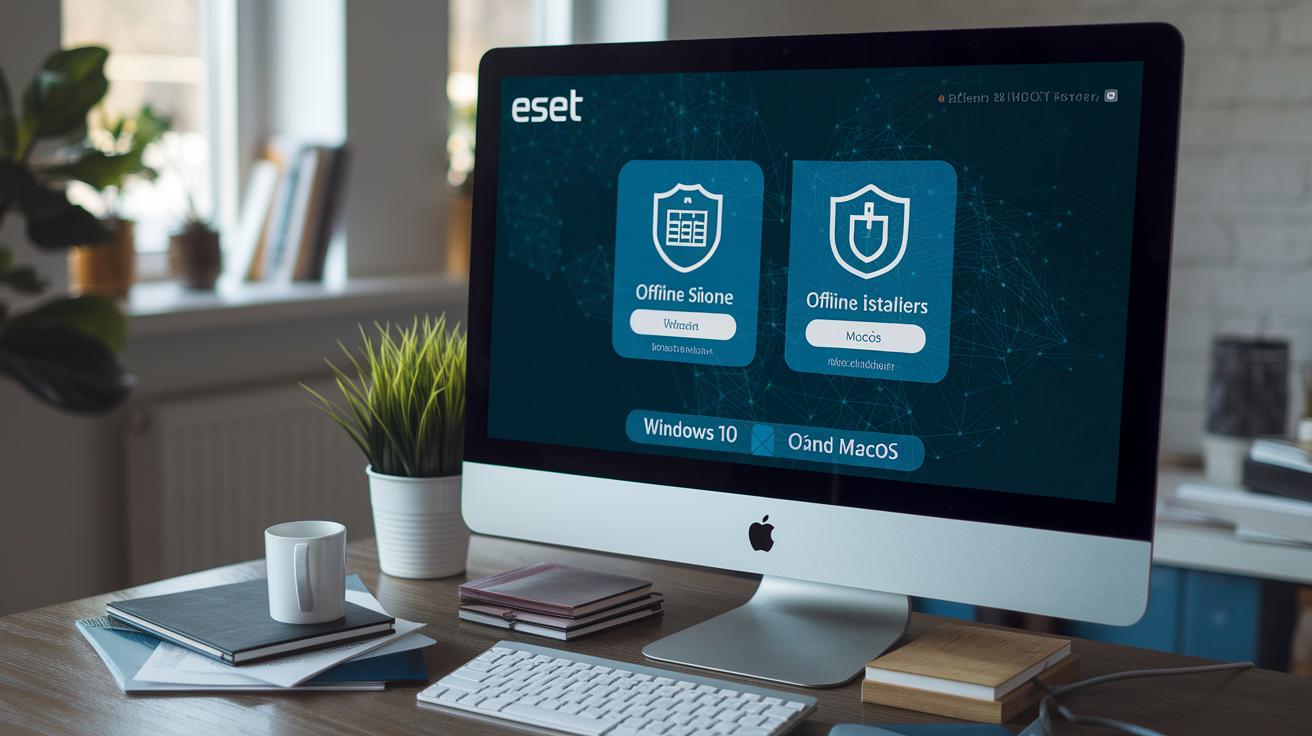
Start by checking out ESET’s official download and install guide. Visit their website to grab the right installer for your device. You can choose either the online installer or the offline version, perfect if you’re working on a system that's not connected to the internet.
Once you've downloaded the installer, run it on your device. Windows 10 users should go with the dedicated package made just for them, while macOS users can follow the specific installation tips provided during setup. And for Android users, remember that one Home license covers up to five devices, ideal for managing multiple gadgets in your household.
When the installation process begins, follow the on-screen instructions. You’ll need to enter your antivirus activation code, which will unlock a suite of features such as Anti-Theft, Payment Protection, App Lock, Anti-Phishing, Scheduled Scan, and Call Filter. It’s like turning your system into a secure fortress with just a few clicks.
In short: download the installer, activate your product license, and transform your system into a safety haven.
Here’s a quick look at the steps:
- Download the installer from ESET's site.
- Run the installation file on your device.
- Enter your activation code and enable the protection features.
By following these simple steps, you can secure your device quickly and efficiently, no matter what platform you’re using.
ESET Internet Security Features: Advanced Threat Defense and System Tools
ESET Internet Security works like a team of experts guarding your device. It starts by scanning for malware signatures, basically, it checks each file for known bad actors. Then, using smart analysis and cloud insights, it spots new threats and stops zero-day attacks with behavioral detection. Imagine your software as a friendly detective carefully inspecting every file for even the smallest clue.
Next, the software watches over your network traffic to block any suspicious activity. This host intrusion prevention acts as a barrier, stopping harmful attempts before they can cause trouble. And with the built-in Network Inspector, you get a heads-up on any unsecured devices on your network, so you can fix potential risks right away.
On top of that, there's a system vulnerability scanner that finds outdated software before attackers can exploit it. This means you'll always be updated and secure. ESET even has a safe banking module that opens a hardened browser for online transactions, plus a spam and email filter for both POP3 and IMAP accounts to ward off phishing scams. And don’t worry about privacy, the webcam protection keeps unwanted eyes away.
All these smart defenses run smoothly in the background, ensuring your device stays fast and responsive. With digital threat intelligence providing real-time updates and context, you always know what’s happening. In short, ESET Internet Security brings together a complete set of tools to keep you safe without slowing you down.
Comparing ESET Internet Security to Competitors: Performance and Ratings
Independent tests consistently show that ESET Internet Security detects more than 99% of threats, making it one of the top choices for solid protection. Even when it’s busy scanning your system, it barely makes a dent in performance, using about 5% of your CPU and around 50 MB of RAM at idle. This means your everyday tasks keep running smoothly without any hassle. And when pushed to its limits, the software still holds up, keeping your system secure without slowing you down.
Studies comparing competitors reveal an interesting story. For instance, Bitdefender Internet Security packs extra utilities and sometimes scores a bit higher in lab tests. But ESET wins many users over by balancing powerful protection with low resource demands. Experts routinely rank it among the top five security suites for both Windows and Android devices. Customers seem to agree too, giving it an average satisfaction score of about 4.5 out of 5, though some have noted that its firewall sometimes lags behind the default Windows Firewall in performance.
- Over 99% threat detection in independent tests.
- Minimal resource use, even during continuous scans.
- Speed tests confirm efficient performance under heavy workloads.
- Ranking within the top five security suites for Windows and Android.
- Customer satisfaction averages around 4.5/5, with some mixed views on the firewall.
In many performance benchmarks, ESET Internet Security proves itself as a reliable choice for those who demand both efficiency and robust protection.
Managing ESET Internet Security: License, Subscription, and Support
Keep your subscription running smoothly with easy-to-use tools and timely reminders. With auto-renewal on, your service stays active automatically, but you have the option to turn it off if you prefer more control. At checkout, you will find clear instructions about license renewal so that updating your subscription is straightforward.
Here are a few friendly tips:
Check your renewal dates and mark them on your calendar.
Consider adjusting the auto-renewal setting to suit your style. For example, "I disabled auto-renewal before my trial ended so I could explore my options without any rush."
Make sure your payment information is up to date through the secure methods provided on the website.
If you ever need help, visit the customer help portal or join the community forums for answers. And when it comes to removing past installations, the ESET Uninstaller tool is there to clear out any leftover files.
| Practical Tip | Description |
|---|---|
| Auto-Renewal | Switch it on or off based on your preferred renewal approach. |
| Payment Details | Update them securely on the website to avoid interruptions. |
| ESET Uninstaller | Use this tool to quickly remove old installations. |
Advanced Tips for ESET Internet Security: Customization, Parental Controls, and Mobile Protection

Upgrade your security setup by tailoring its protection settings to fit your daily needs. You can easily adjust how sensitive the scans are and how often they run, so feel free to schedule scans daily or weekly based on your routine. This way, your system stays protected without you having to worry about constant interruptions.
When it comes to keeping kids safe online, parental controls work differently depending on your device. On Windows, it’s as simple as setting up different user accounts on your PC, while Android provides a smoother experience by syncing controls across all devices sharing one Google account. It’s a neat solution for families juggling multiple gadgets, making sure security stays in check no matter which device is being used.
For mobile protection, take full advantage of the app’s core features. On Android, for instance, you get handy tools like Anti-Theft (which can locate, lock, and even snap a photo), App Lock, Anti-Phishing, Payment Protection, and a Call Filter. If you’re using iOS, be sure to check that these features work perfectly on your system. And, if you often browse sensitive sites, consider adding secure browsing extensions for Chrome or Firefox to add another robust defense.
Managing your account security is also a breeze with multi-factor authentication. Apps like Google Authenticator make it extra secure, giving you that added layer of protection. By tapping into these advanced customization options, you can create a security setup that feels just right for your lifestyle while enjoying all the benefits that ESET Internet Security has to offer.
ESET Internet Security FAQs and Troubleshooting
How to Activate Your Free Trial
Start by trying out all the features with a 30-day free trial. First, download the installer and run it on your device. When you see the prompt, simply enter the activation code provided to switch from demo mode to the full trial. It’s a pretty smooth process, just like when I entered my unique code and instantly unlocked every feature.
Resolving Installation Errors
Sometimes the setup might throw a few hiccups your way, like issues with your activation code, firewall conflicts, or network timeouts. If you run into a message such as "Invalid license key" or "Connection timed out", take a moment to double-check your activation code and make sure your firewall isn’t interfering. Here’s what you can do:
- Verify the code for any typos.
- Temporarily disable any firewall software that might be blocking the installation.
- Restart the installer using the original setup file to fix any glitches.
Complete Uninstall Procedure
If you ever need to completely remove ESET Internet Security, the easiest way is to use the ESET Uninstaller tool. Just run the uninstaller as described in the documentation, and it will clear out all remaining files from your system. If you need more help, you can check out the knowledge base articles or give the support team a call at 1-888-808-1230.
Final Words
In the action, this article broke down essential aspects of eset internet security. We touched on its standout features and simple installation process, then compared performance and pricing with peers. The guide also highlighted practical management tips and advanced customization tools, rounding off with helpful FAQs and troubleshooting hints.
Every section aims to empower you to make smart tech choices and confidently talk about the latest trends. Feel good about stepping forward with enhanced protection and clear, actionable insights.
FAQ
What is the ESET Internet Security price?
The ESET Internet Security price is set between $28 and $188 per year. For instance, the Home Security Essential starts at $49.99 for one license, with extra devices available for an additional fee.
How do I download and install ESET Internet Security on Windows 10 64-bit?
The download process involves grabbing the installer from the official site. Run the setup on your Windows 10 64-bit system, then follow on-screen instructions to install and configure the software.
How do I activate ESET Internet Security with a license key?
The activation process starts by running the installer, entering your valid license key, and then completing the steps to enable all relevant security modules and features.
What does ESET Internet Security 2025 refer to?
The term ESET Internet Security 2025 represents an upcoming version that will include planned updates and improvements, with detailed information available on the official ESET website.
Where can I log in to manage ESET Internet Security?
The login feature allows you to access your account via the official ESET portal, where you can view subscription details, manage licenses, and access support resources.
What do reviews and Reddit discussions say about ESET Internet Security?
Reviews and Reddit conversations praise ESET Internet Security for its strong detection rates and low resource usage, although some users have mixed feelings about specific components like the firewall.
Is ESET Internet Security a good antivirus?
ESET Internet Security is a solid antivirus solution. Its NOD32 engine delivers over 99% malware detection rates with minimal system impact, making it a reliable option for most users.
Is ESET a Russian company?
ESET is not a Russian company; it hails from Slovakia and operates internationally, maintaining a reputation for unbiased, effective cybersecurity solutions.
What are the disadvantages of using ESET Internet Security?
Some users note occasional challenges such as activation code errors and varying opinions on the firewall performance when compared to other competitor solutions.
Is ESET Internet Security discontinued?
ESET Internet Security remains actively supported with regular updates. There are no official announcements indicating that it has been discontinued.
What different ESET security products are available?
ESET offers a variety of products including Internet Security, Home Security Essential, Ultimate, Premium, NOD32 Antivirus, Smart Security Premium, and Small Business Security—each catering to different needs and devices.

