


Ever stop and wonder why a computer chassis matters beyond just looking good? It’s more than just a sturdy frame holding everything together. A good chassis helps with cooling and airflow, making sure your motherboard, graphics card, and power components are secure while leaving space for future upgrades.
Whether you're building a high-performance gaming rig or a sleek workstation, choosing the right chassis means you get both solid build quality and a stylish edge. It’s like laying the foundation for a smoother, more reliable computing experience that grows with your needs.
What Is a Computer Chassis and Why It Matters
A computer chassis is essentially the sturdy frame that holds every key component together, think of your motherboard, graphics card, storage drives, and power supply. It’s that protective shell that keeps these parts safe from bumps, dust, and other everyday hazards. Much like a skeleton supports a body, the chassis secures every element in place while leaving room for future upgrades or repairs.
Engineered with proper cooling and airflow in mind, chassis designs come with carefully positioned fan mounts, dust filters, and even slots for radiators. These features work together to guide air efficiently around your system, ensuring that your components run at their best. Whether you’re eyeing a roomy full-tower for an elaborate setup or a compact mini-ITX case for limited space, each design, from mid-towers to micro-ATX, delivers unique benefits. Materials like rugged steel, lightweight aluminum, and sleek tempered glass not only enhance durability but also help keep things cool and stylish.
Beyond simply housing components, a well-crafted chassis can make a huge difference in overall system performance. It enables cleaner cable management, paves the way for easy upgrades, and ensures consistent airflow to support high-performance tasks. In other words, a good chassis blends efficient design with visual appeal, protecting your tech investment and setting the stage for a smooth, powerful computing experience.
computer chassis: Sleek Performance and Cool Design
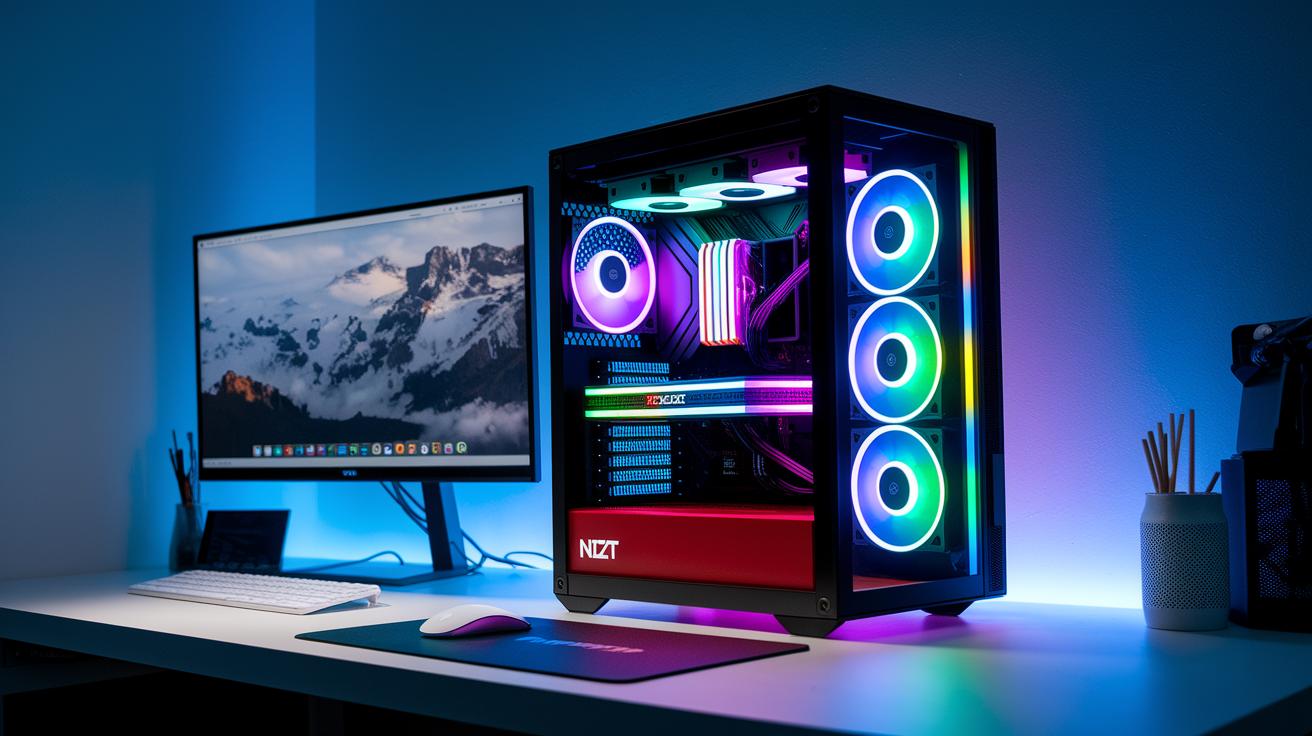
When you're building a custom rig, choosing the right chassis can really set the tone for both performance and style. Whether you lean towards a roomy design or something more compact, each option brings its own blend of form and function.
Full-Tower Chassis
For those who love a bit of extra space, the full-tower design, like the NZXT H7 Flow, is a dream come true. It offers plenty of room for up to ten fans and even a 420 mm radiator, giving you the freedom to boost cooling performance while making a striking design statement.
Mid-Tower Chassis
Mid-tower cases, such as the Phanteks Eclipse G400A, hit that sweet spot for many builders. They’re budget-friendly, come with integrated 140 mm RGB fans, and offer a harmonious mix of aesthetics and performance. Perfect for gamers and creative pros who want efficiency without breaking the bank.
Compact and Midrange Chassis
If you’re looking for a streamlined, slim design without sacrificing cooling capabilities, chassis like the Lian Li O11 Vision Compact are for you. They provide efficient airflow in a more condensed package, giving your setup a sophisticated and modern look.
Mini-ITX Chassis
Space can be a premium, and that’s where mini-ITX cases like the Fractal Design Terra excel. They’re designed to keep your system compact while still accommodating high-performance components and ensuring proper airflow, even in the tightest of builds.
Micro-ATX Chassis
Lastly, the NZXT H3 Flow is an excellent option for those who want a neat, compact case without compromising on cooling. With a focus on optimized airflow and a well-managed size, it’s ideal for setups where every inch counts.
In short, there’s a chassis out there for every need, whether you’re after the expansive cooling of a full-tower or the clever space-saving in a mini-ITX build. Each one is designed to perfectly complement your hardware and overall aesthetic, helping you create a system that’s both powerful and visually captivating.
Key Features and Specifications of Modern Computer Chassis
Today's computer chassis are built to keep your system cool and running smoothly. They often feature advanced cooling setups, take the Havn BF 360, for instance, which ensures open airflow, or the NZXT H7 Flow that supports several fan mounts and adaptable radiator sizes. This means even your longest sessions stay at a comfortable temperature.
Builders of high-performance rigs don't settle for less. They opt for sturdy materials like steel frames, sleek aluminum panels, and elegant tempered glass side windows. It’s a mix of strength and style that fits right into your workspace.
Practical design matters, too. Many chassis now offer easy-to-access drive bays and expansion slots for a variety of hardware needs. For example, having drive bays set up for quick access makes adding a new graphics card as simple as swapping out a piece in a puzzle.
Cable management has also taken center stage. Modern models come with built-in channels and tie-down points, so your cables stay neatly organized and help the system breathe. Imagine cables running as smoothly as a well-assembled circuit.
And when it comes to cleaning or upgrading, these chassis are designed for convenience. Dust filters and tool-free access mean you can keep your system at peak performance without any hassle.
Top Computer Chassis Recommendations for Gaming Builds

Choosing the right gaming case is more than just a style statement, it’s a smart move for protecting your components and keeping everything cool and tidy. When you're building your system, you want a case that not only guards your hardware but also makes it easy to manage cables and maintain efficient cooling. These options, ranging from feature-packed designs to wallet-friendly compact models, offer something for every gaming enthusiast.
Each of these chassis stands out by combining attractive looks with practical features, making sure your build doesn’t just perform well but looks amazing too. Whether you’re aiming for a high-end setup or a budget-friendly configuration, these cases help you enjoy the process of building and showing off your rig.
| Model | Category | Key Feature | Price* |
|---|---|---|---|
| Havn HS 420 | Best Overall | Known for its striking design and smart layout, though it has limited airflow around the motherboard | $299.99 |
| Phanteks Eclipse G400A | Best Budget | Comes with all the necessary 140 mm RGB fans to deliver great performance without breaking the bank | $99.99 |
| Lian Li O11 Vision Compact | Best Midrange | Features a dual-chamber design that simplifies your build and boosts cooling efficiency | $199.99 |
| Thermaltake S100 TG Snow Edition | Best Budget Compact | Designed with a modern white exterior, perfect for small spaces and sleek aesthetics | $89.99 |
| NZXT H9 Flow RGB+ | Best High-End | Uses top-notch materials and addressable RGB lighting to create a visually stunning design | $449.99 |
These picks blend visual appeal with everyday functionality, making them a great starting point for anyone looking to build a gaming rig that shines both in performance and style.
Compact and Portable Computer Chassis for Small Builds
Recent tests and genuine user feedback have spotlighted these compact chassis setups. Even though they cut back on drive bays and expansion slots, designs like the Fractal Design Terra keep things cool and quiet even under heavy use. Users love its smart cooling and efficient noise control, making it a top mini PC pick for tight and intense builds.
Feedback on the Thermaltake S100 TG Snow Edition shows it strikes a great balance between affordability and effective thermal management. Even during prolonged use, it keeps component temperatures stable and offers an easy-to-navigate interior, features that really resonate with fans who appreciate simple, budget-friendly design.
Benchmarks for the Corsair 3500X highlight its adaptability in snug setups. Users mention that installing components is a breeze, it performs robustly across mixed workloads, and the option of five different colors adds a fun twist for micro-ATX builds.
Aesthetic and Customization Trends in Computer Chassis

Limited edition Ironside chassis series are a must-have for hardware enthusiasts who love top-tier design. And the retired Fractal Pop Air Case still shines because its specially designed vents keep the system cool while looking sleek. It’s a clear reminder that computer cases can be both high-performing and artistically inspiring.
DIY cases showcasing heat-resistant artwork prints turn your build into something extraordinary. It’s like assembling a custom painting that also happens to protect your system. These designs mix creative flair with solid engineering, giving builders a fun way to express themselves.
Themed case bundles take this blend of style and function to the next level. Bundles like Harmony, KITTY, Lunarian, Dragonlight, and SEN City come with matching wall art and desk mats that really set the mood in your workspace. Each bundle transforms a basic chassis into a bold style statement.
Top it all off with Platelight Acrylic accents such as Pink Sunrise, Sky on Fire, Petals, Eden, Fuji Castle, and Jelly Dream. These finishes add small pops of color and sophistication, proving that every computer case can serve as a personal canvas for artistic expression.
How to Choose the Best Computer Chassis for Your Build
When you're setting up a custom system, the chassis is more than just a protective shell, it’s where all your important components get to shine. Think of it as the stage for your hardware; it influences cooling, future upgrade options, and even the overall look of your build. Getting the right chassis means focusing on how each feature moves you closer to your hardware dreams.
- Start with matching the chassis form factor to your motherboard size, ensuring every part fits comfortably.
- Look for excellent airflow options with radiator and fan support to keep your system running cool and steady.
- Consider materials like steel, aluminum, or glass, which not only boost durability but also enhance your build’s visual appeal.
- Double-check expansion slots, drive bays, and GPU clearance so there's room for both current components and future upgrades.
- Pay attention to built-in cable management, it helps keep your system tidy and makes maintenance easier.
- And don’t forget to align your choice with your budget and style, ensuring your build looks as good as it performs.
Taking the time to review these key points means your chassis will do more than just hold your parts, it becomes the stylish heart of your custom-built machine.
Final Words
In the action, this piece brought clarity to the world of computer chassis by breaking down its core functions and various form factors. We covered everything from physical support and cooling benefits to standout recommendations for gaming and compact builds. Each section offered bite-sized insights that simplify choosing a custom-built machine framework for your system. This guide leaves you empowered to make confident tech decisions and enjoy your build experience with a smile. Embrace the smart side of tech with a reliable computer chassis.
FAQ
What is a full tower PC case?
A full tower PC case offers ample space for components, excellent cooling options with multiple fan mounts, and flexible configurations, making it ideal for high-performance systems and custom-built configurations.
What does “computer chassis amazon” refer to?
The term “computer chassis amazon” indicates browsing a variety of computer cases on Amazon, where you can compare prices, styles, and customer reviews to find one that meets your build’s needs.
What defines the best computer chassis?
The best computer chassis balances robust protection, efficient cooling, effective cable management, and appealing aesthetics, ensuring reliable support for components while accommodating various build types and performance needs.
What are gaming desktop computer cases?
Gaming desktop computer cases are designed to support high-performance components with optimal airflow and cooling systems, offering modern aesthetics and robust build quality that caters specifically to gamers’ hardware requirements.
What does “computer chassis nearby” imply?
The phrase “computer chassis nearby” suggests finding local retailers or computer stores that offer a selection of cases, allowing you to inspect and purchase a chassis in person without waiting for online shipping.
What is a computer case with a screen?
A computer case with a screen integrates a built-in display panel to show system information or custom graphics, merging functionality with style, so users can monitor performance without additional hardware.
How does a mid tower case compare to a full tower case?
Comparing a mid tower case and a full tower case, the mid tower offers a compact design with sufficient cooling, while the full tower provides extra space for additional components and more versatile upgrade options.
What is a PC Case ATX?
A PC Case ATX is specifically designed to accommodate ATX motherboards, ensuring a well-organized layout for critical components and seamless integration of cooling and expansion features for reliable system performance.
What is a computer chassis and what is another name for it?
A computer chassis, also known as a computer case, houses critical components like the motherboard, storage, and power supply, offering structural support, protection, and optimal cooling for your system.
What are the four types of computer chassis?
The four common types of computer chassis are full-tower, mid-tower, mini-ITX, and micro-ATX, each differing in size, expandability, and compatibility with various build configurations.
How do you open a PC chassis?
Opening a PC chassis typically involves releasing latches or unscrewing side panels. It’s important to refer to the manufacturer’s instructions to safely access internal components and perform maintenance.