

Ever wondered if technology has really balanced the playing field? Assistive tech is doing just that by bridging everyday gaps and simplifying our routines. Imagine it as your personal helper that turns a hectic schedule into a smooth, organized day.
For more than 2.5 billion people, smart devices and innovative software are making learning, work, and daily life easier to handle. This post dives into how these tools not only lend a hand but also empower everyone to join in shaping a brighter, more accessible future.
assistive technologies: Empowering Brighter Possibilities
Assistive technology covers a wide range of devices, software, and tools meant to make life easier for over 2.5 billion people, and that number is only expected to grow. These include everything from everyday helpers like highlighters that organize your thoughts and timers that keep your schedule on track, to smart software that supports reading and writing with ease.
At its core, these tools are all about making sure everyone can take part in education, work, and day-to-day activities. Think of an organizer that not only books your meetings but also sends you gentle reminders throughout the day. It’s like having a personal assistant that transforms a chaotic schedule into a clear roadmap to success.
These innovations bring real benefits: easier access to learning materials, boosted efficiency at work, and more independence in everyday tasks. By blending smart design with practical functionality, assistive technology creates environments where every person can contribute in meaningful ways.
Categories of Assistive Technologies: From Low-Tech Adaptations to High-Tech Systems

Low-tech tools still pack a surprising punch when it comes to everyday functionality. Picture a simple highlighter, not just a tool for marking text, but a way to bring essential details into sharp focus. Basic organizers and timers do more than remind you of appointments; they help keep your daily routine in check. These straightforward aids lay the groundwork for all forms of assistive technology.
High-tech systems, on the other hand, take support to the next level with smart, innovative features. Think about adaptive keyboards and intuitive switches that change how we interact with our digital gadgets. Refreshable braille displays, for example, turn written content into tactile feedback, making the digital world more reachable for those with visual impairments. And when it comes to software, tools like NVDA and Jaws read text aloud, while immersive readers offer an engaging, hands-on experience.
Modern software is pushing boundaries with features such as AI-powered captioning and automated scanning, which make digital content easier to access. A range of solutions, from braille display drivers and screen magnifiers to alternative keyboards, illustrates the spectrum from low-tech simplicity to cutting-edge high-tech innovation. Speech recognition programs like Windows Speech Recognition and Dragon simplify everyday tasks, and devices like eye-trackers and keyboard navigation functions widen access for users with limited mobility. Whether it’s a familiar organizer or a state-of-the-art adaptive keyboard, assistive technology is all about empowering you to thrive in a rapidly evolving digital landscape.
Assistive Technologies in Education: Tools for Inclusive Classrooms
Today’s classrooms are buzzing with digital energy as innovative tools reshape learning for every student. Immersive readers and screen reading apps now let learners access content in user-friendly ways tailored to individual needs. One teacher remarked, "Before digital tools came along, my students struggled to finish assignments on time." This evolution transforms traditional lessons into engaging, interactive experiences, especially for those dealing with ADHD, dyslexia, or dyscalculia.
Braille display breakthroughs and interactive learning interfaces merge the tactile with the visual, allowing visually impaired students to explore content through refreshable braille and crisp digital text. And digital communication platforms bridge gaps between teachers and students, ensuring that every idea is shared during group projects and online discussions.
AI captioning tools and screen reading apps add another layer of support by turning spoken words into written text in real-time. This means even in a noisy classroom or busy environment, students who face auditory challenges can follow the lesson with ease.
Tools for self-management, like behavior trackers and parent resources, including the N.O.T.E. tool, offer extra assistance by monitoring progress and identifying areas where learners can improve. Nonprofit organizations also step in by providing free, expert-approved resources for the roughly 70 million Americans with diverse learning and thinking differences.
When these devices and platforms come together seamlessly, the impact is clear: a more inclusive, successful academic environment where every student feels empowered to thrive.
Assistive Technologies for Communication and Daily Living

Assistive technologies are designed to empower users, making daily communication and routine tasks more manageable. These tools help everyone from those with limited mobility to individuals facing other challenges. A range of devices, from speech recognition systems that turn spoken words into written text to screen readers that vocalize digital information, allows users to interact with technology more naturally. Think of someone saying, "Before I started using speech recognition software, sending long emails was a struggle, but now everything just flows."
It’s not just about having the right device; integrating these tools into everyday life also requires a bit of know-how. Proper assessments are key, along with personalized training sessions that make sure these devices fit smoothly into daily routines. Tools such as reading assistants, digital organizers, and timers add structure and clarity, helping users manage tasks at work and home with newfound confidence.
Practical support is all about pairing technology with ongoing advice and guidance. For instance, a person using a screen reader might also learn how to fine-tune settings for voice commands, ensuring they enjoy seamless access in any situation. The magic happens when smart software and physical gadgets work together, creating a customized experience that fills communication gaps and meets individual needs.
- Speech recognition systems turn your spoken words into text.
- Screen reading applications vocalize digital content.
- Refreshable braille displays convert text into tactile feedback.
- Alternative keyboards and eye-tracking devices provide flexible control.
Regular training, periodic assessments, and continuous support services are essential for maximizing these tools' potential, transforming everyday tasks into independent and engaging experiences.
Emerging Innovations in Assistive Technologies
Recent breakthroughs in assistive tech are changing how we approach accessibility. Imagine AI-powered systems that quickly spot obstacles in your everyday environment, giving you an instant heads-up. They’re not just alert systems either, they offer personalized assistance that syncs effortlessly with your smart-home setup. Ever think about a device that automatically brightens a dim room? It’s like having a friendly helper making sure you’re comfortable while tackling digital tasks. Even augmented reality apps are stepping up, overlaying handy tips as you work through complex tasks.
Modern platforms are also stepping up their game by setting new standards in digital accessibility. Take, for instance, solutions like Level Access that blend automated scanning with AI-driven fixes to streamline work for developers and designers. They even offer accessibility training tools that help teams build compliance right into their projects. And with mobile testing for both iOS and Android, plus the power to generate accessible PDFs from Microsoft Office files, these tools cover a wide range of guidelines, from ADA to WCAG and beyond, even meeting European standards.
Adaptive tech innovations are built with flexibility in mind, too. They empower specialists to better understand and meet diverse user needs by combining smart automation with hands-on reviews. This new wave isn’t just making digital access smoother, it’s also simplifying everyday tasks and making them a bit more enjoyable. By embracing smart accessibility solutions, organizations are already seeing real improvements in user engagement and satisfaction. Each innovation pushes the field forward, moving us closer to a future where interacting with both digital and physical spaces feels completely intuitive.
Industry experts continue to fine-tune these solutions, making each update a step toward a seamlessly integrated experience that bridges cutting-edge digital capabilities with the simplicity of everyday use.
Implementing Assistive Technologies: Selection, Training, and Support Services
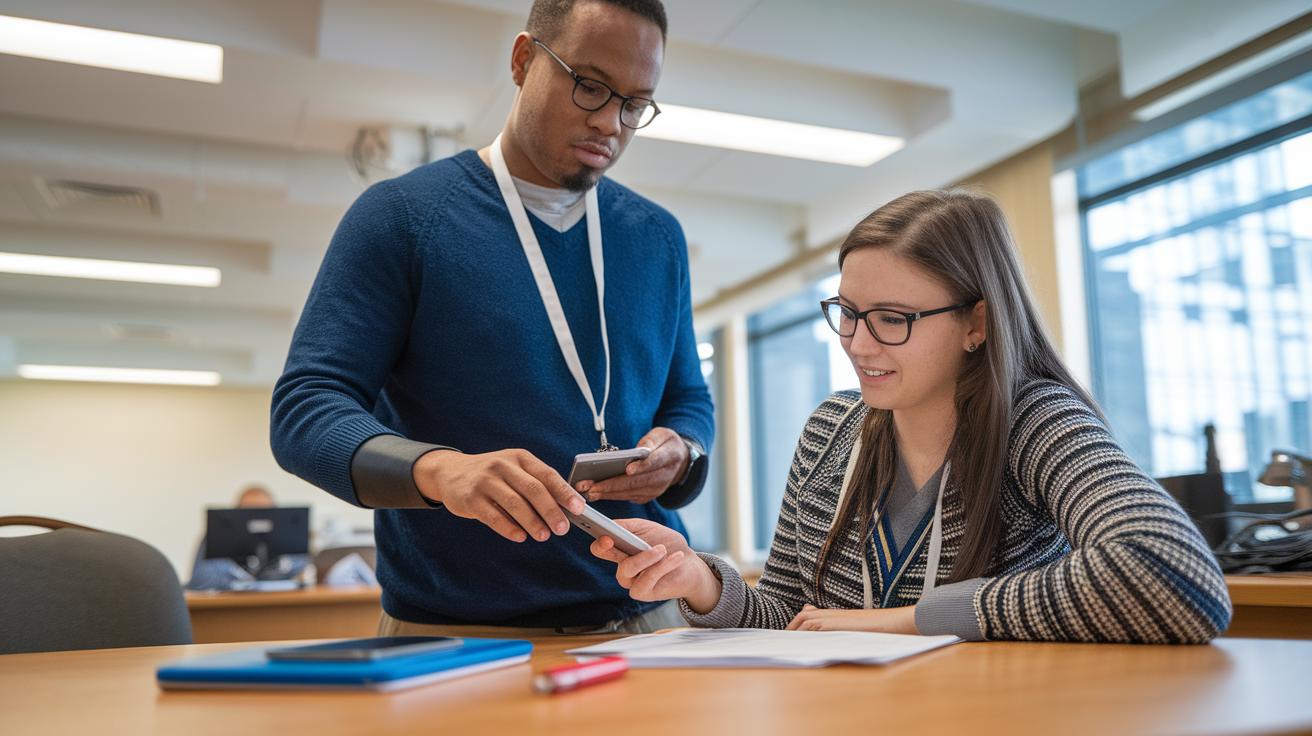
Since March 2021, the updated Assistive Technology Act has been channeling funds to state ATAP projects that help individuals with disabilities, their families, service providers, and related agencies nationwide. This update emphasizes the importance of thorough assessments, essential for choosing devices that match unique needs and ensuring users are confident and ready to use them.
Implementing these technologies typically starts with organized, hands-on training sessions. Picture jumping into a demo and thinking, "Before this, I had no idea how much easier my daily tasks could be." Such sessions not only clear up how a device works but also highlight the need for continuing maintenance and support. Sufficient policies and user guides round out the experience, making it simpler for people in both school and work settings.
In schools, tailored 504 plans help students, while workplaces design adaptation programs for their teams. Key steps in this process include:
- Assessing each user’s specific needs before selecting a device.
- Organizing practical training sessions to build hands-on confidence.
- Scheduling regular follow-ups to fine-tune device use and support services.
This balanced framework blends new technology with clear policy guidelines, ensuring every user maximizes the benefits of their assistive tools while staying supported every step of the way.
Case Studies: Real-World Impact of Assistive Technologies
Stories like those from "Through My Eyes" show us just how deeply assistive technology can touch a young life. One child with ADHD once shared that a behavior tracker transformed their school day, saying, "It’s like having a personal mentor guiding me through each challenge." This kind of real-life feedback highlights how these devices can provide the support sometimes missing in more traditional approaches.
Recent examples further illustrate the wide-ranging benefits of these technologies. Rehabilitation devices, for instance, have made it easier for students to follow lessons and helped adults feel more confident at work by offering tools that simplify interaction with their environment. One student noted that using adaptive gadgets not only improved lesson comprehension but also made them feel truly included. Similarly, tools like the N.O.T.E. resource have been instrumental for families, offering guidance that reshapes how they support their children’s daily needs.
State ATAP projects, running in every U.S. territory, are a driving force behind these success stories. They work to ensure that assistive devices reach those who need them most, boosting daily living skills and improving rehabilitation outcomes.
- Behavior trackers help develop self-management.
- Rehabilitation devices promote inclusion in academic and professional settings.
- Parent resources, like the N.O.T.E. tool, empower families to provide better support.
These real-world experiences show that assistive technologies are not just gadgets, they’re trusted companions on the journey to overcoming everyday challenges.
Resources for Exploring and Acquiring Assistive Technologies

When you dive into disability tech, you'll find a host of reliable resources to help you evaluate, acquire, and implement digital access solutions. Think of evaluation guides and checklists as your friendly sidekicks, they simplify your decision-making by breaking down the options so you can find the tool that best fits your needs.
Key documents, like summaries of ADA (Americans with Disabilities Act), WCAG (Web Content Accessibility Guidelines), Section 508, and AODA (Accessibility for Ontarians with Disabilities Act) standards, provide clear benchmarks for quality and compliance right off the bat. Plus, repositories filled with VPATs (Voluntary Product Accessibility Templates) and ACR (Accessibility Conformance Reports) give you detailed insights into how products match up with established accessibility criteria. Annual market research reports keep you updated on the latest trends, and direct contacts for state ATAP projects offer localized support when you need it.
Imagine a teacher ready to enhance digital learning platforms, these guides become essential when checking that products are not only user-friendly but also play nicely with other assistive tools.
- Evaluation guides and checklists
- Summaries of ADA, WCAG, Section 508, and AODA standards
- VPAT and ACR documentation
- Annual market research reports
- Contacts for state ATAP projects
- Nonprofit repositories of expert-vetted AT information
These resources empower users, developers, and organizations alike, helping everyone make informed choices that foster inclusive digital experiences and boost learning enhancement platforms.
Final Words
In the action of walking through assistive technologies, we examined what these tools are, their benefits, and the range from low-tech to high-tech options. We explored how they support education, communication, and daily living while highlighting breakthrough innovations and practical guidelines for smooth integration. Real-life case studies shed light on their transformative impact, and valuable resources rounded out the discussion. Moving forward with confidence, stay curious and keep exploring assistive technologies to simplify tech decisions and spark positive change.
FAQ
What are examples of assistive technologies?
The phrase “assistive technology examples” covers tools like adaptive keyboards, braille displays, screen readers, and reading assistants, all designed to support daily tasks and improve accessibility for users across various settings.
What is assistive technology?
The term “assistive technology” refers to devices, software, and equipment that boost daily living and digital interactions for users with disabilities, ranging from simple helpers like highlighters to advanced AI-enhanced systems.
What are assistive technologies in education?
The concept “assistive technologies in education” includes reading assistants, screen readers, braille tools, and interactive platforms, all aimed at fostering inclusive classrooms and supporting students with diverse learning needs.
What are the three types of assistive technology?
The phrase “three types of assistive technology” typically distinguishes between low-tech adaptations, mid-tech devices, and high-tech systems that range from basic tools to sophisticated digital applications.
What do assistive technology devices include?
The term “assistive technology devices” encompasses physical tools like adaptive keyboards and braille displays, as well as software such as screen readers and magnifiers that aid users in daily communication and tasks.
What are assistive devices for persons with disabilities?
The term “assistive devices for persons with disabilities” describes specialized tools and software that enhance mobility, communication, and independence, including items from basic timers to advanced eye-tracking systems.
What are assistive technology websites?
The phrase “assistive technology websites” refers to online platforms that provide resource guides, product details, and user reviews, helping educators and individuals find and evaluate adaptive tools effectively.
What are assistive technology software examples?
The term “assistive technology software examples” covers programs like NVDA and JAWS for screen reading, immersive reading assistants, and speech recognition systems that convert voice to text, enhancing digital accessibility.
What does assistive technology drawing mean?
The phrase “assistive technology drawing” generally implies diagrams or illustrations that show how adaptive tools and devices are designed and used to support individuals in managing everyday tasks.
What is the most common assistive device?
The phrase “the most common assistive device” often refers to screen readers, which convert text to speech to aid users with visual impairments in navigating digital content across educational and professional environments.