

Ever wonder if a free antivirus is really up to the job of protecting your computer? Bitdefender Free is a no-cost solution that acts like a lightweight security guard on your Windows device. It quietly spots harmful threats as you browse, work, or relax online.
In this guide, we’ll walk you through how to download, install, and activate Bitdefender Free to keep your digital space secure, without breaking the bank.
How to Access Bitdefender Free Version on Windows
Getting started is simple. First, head over to Bitdefender’s official site and download the installer directly from there. This ensures you’re pulling a genuine, secure version of the free security solution which uses the same powerful malware-detection engine as the paid model.
Once you’ve downloaded it, the next step is to sign up for, or log into, your Bitdefender Central account. This account not only kicks off your free version, but also lets you protect up to three Windows devices all under one login. Plus, once activated, you get handy features like Quick Scan, System Scan, and even a built-in VPN to keep your online activities secure.
Follow these easy steps:
- Visit the official Bitdefender website and find the free installer.
- Download the installer to your Windows computer.
- Launch the installer and sign up or log into your Bitdefender Central account.
- Complete the installation process, which includes automatically updating virus definitions.
- Activate the protection to start using Quick Scan, System Scan, and the VPN.
And that’s it. With just a few simple steps, you’re all set to enjoy robust security for your Windows system without spending a dime.
Bitdefender Free Core Protection & Features
Bitdefender Free uses the same powerful malware detection engine as its premium version, giving you solid security for your computer. Its real-time scan keeps an eye on your system around the clock, catching harmful software as soon as it appears. This constant vigilance is a must for anyone wanting to protect their digital space.
Beyond live monitoring, Bitdefender Free offers on-demand scanning options. You can choose a Quick Scan for a fast check or run a full System Scan whenever you feel it’s needed, making sure no hidden threats escape notice. Plus, the built-in VPN adds an extra layer of security when you visit sensitive websites.
The Advanced Threat Defense module takes protection a step further by watching how applications behave. It stops any suspicious program before it can cause damage, especially against ransomware. Independent labs have even confirmed that Bitdefender Free not only excels at stopping malware but also does a great job detecting phishing attempts to keep your data safe.
It’s important to note that while Bitdefender Free offers robust real-time and on-demand scans, it doesn’t include all the extra scanning features found in paid versions, like cloud threat detection that updates threat info in real time. Still, if you’re after straightforward, dependable protection without the extra frills, Bitdefender Free is a solid choice.
Bitdefender Free Elevates Your Digital Safety
Getting started with Bitdefender Free on your Windows computer is a breeze and a smart move to boost your digital defense. First, download the installer directly from Bitdefender’s official website using a secure method. Then, sign up or log into your Bitdefender Central account to easily link your device and manage your settings.
Next, run the installer and follow the clear on-screen prompts, it’s much like being guided step-by-step over a friendly chat. Once installed, let the software update its virus definitions automatically so you’re armed with the latest protection. Finally, start a full system scan to make sure everything was installed correctly.
Usually, this initial scan takes around 1 hour and 27 minutes, though some tests might run closer to 1 hour and 53 minutes. Remember to check that your Windows device meets the recommended system requirements for the best performance.
For that extra peace of mind, keep these tips in mind, and enjoy the smooth experience that Bitdefender Free brings to your everyday digital safety.
Comparing Bitdefender Free with Premium Editions
Bitdefender Free gives you the essential protection with features like Quick Scan, System Scan, and a built-in VPN. It uses the same advanced detection engine found in the premium version, so you can trust it to effectively block malware and phishing attempts. This edition is all about delivering straightforward security without any extra bells and whistles, perfect if you’re looking for a simple, reliable antivirus defense. Imagine doing a Quick Scan before getting started on your work, giving you peace of mind with minimal hassle.
In contrast, Bitdefender Premium goes above and beyond. It not only covers your system but also helps secure your online transactions and personal privacy. On top of the core functions, the premium version integrates additional tools like a Safepay browser for secure online shopping, an Anti-Tracker to protect your browsing, a File Shredder for removing sensitive files, and specialized tools designed to fend off ransomware. If you handle sensitive data regularly, this extra layer of protection can really make a difference.
| Feature | Bitdefender Free | Bitdefender Premium |
|---|---|---|
| Quick Scan | Yes | Yes |
| System Scan | Yes | Yes |
| VPN | 150 MB/day | Unlimited |
| Safepay & Anti-Tracker | No | Yes |
Advantages and Drawbacks of Bitdefender Free Edition
Bitdefender Free focuses on protecting your computer from malware while keeping your system running smoothly. It offers real-time scanning and even includes a built-in VPN for privacy. Since we’ve covered those features elsewhere, this section just compares what makes it stand apart.
Compared to options like Avast One Essential or AVG AntiVirus Free, Bitdefender Free doesn’t pack the same level of network security. For instance, if you rely on a firewall to block external threats, as we explain in our Network Security overview, you might find these alternatives a better fit.
Imagine running a system scan that not only finds harmful software but also warns you about potential network risks. That’s a bonus you get with some competitors, but it’s missing here.
In short, this free edition is great if you just need basic, no-cost protection and are okay with missing extras like parental controls and file shredding.
Extending & Managing Your Bitdefender Free Trial
Bitdefender Free gives you robust protection without trapping you in ongoing charges. If you're curious about premium features, you can start a 30-day trial right from your Bitdefender Central account. During this period, you'll get a taste of enhanced tools that go beyond basic antivirus protection. And don’t worry, the free version will never renew automatically or surprise you with a bill.
Getting started is easy. First, log into your Bitdefender Central account and activate the 30-day trial to explore the premium tools. Next, make it a habit to check for daily definition updates and weekly patches to keep your system secure. When the trial period comes to an end, simply visit your account settings to cancel without any further commitments. Plus, if you ever want to try premium features again, there are built-in reset options available in your account.
Overall, this smooth trial process lets you test out additional features without any hassle, and clear cancellation steps mean you’re always in control. Regular updates ensure your device stays protected against the latest threats, giving you reliable security without sticking to long-term commitments.
Alternative Free Antivirus Options & How Bitdefender Free Compares
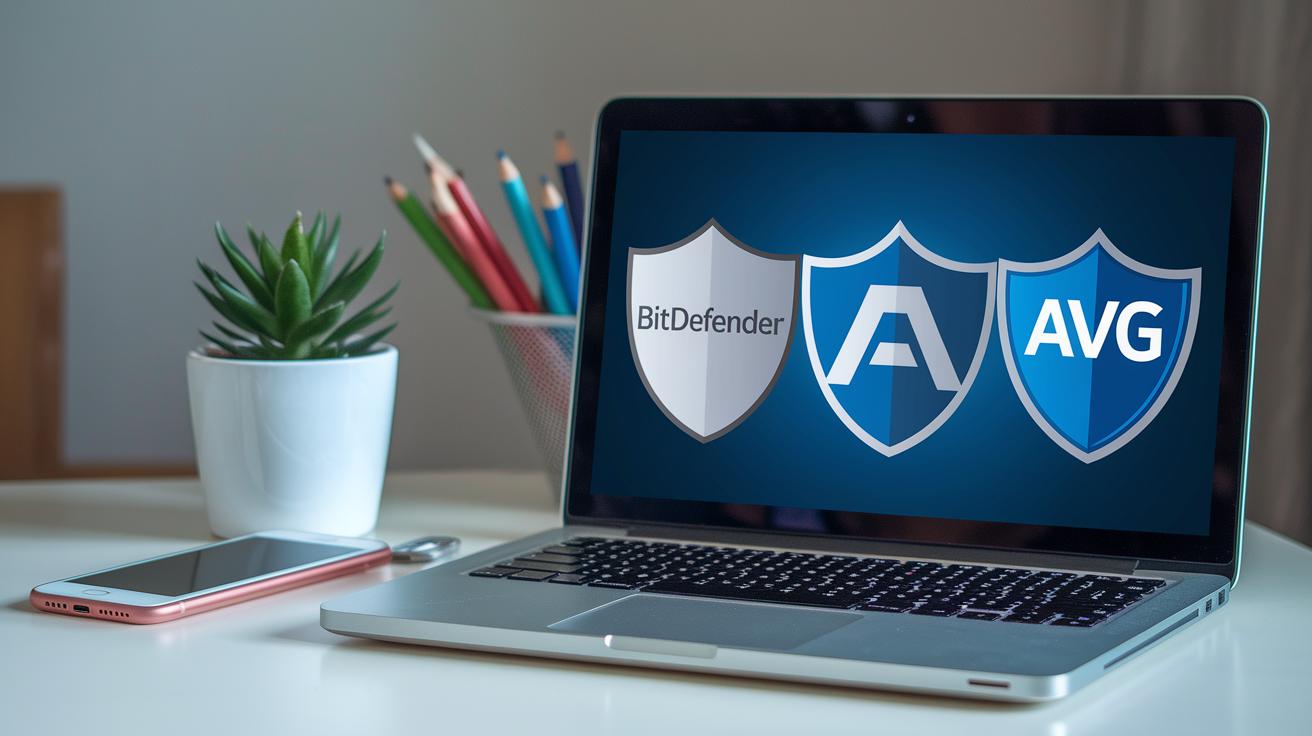
When choosing a free antivirus, you’ve got several solid options. Bitdefender Free goes head-to-head with Avast One Essential and AVG AntiVirus Free. All of them come with handy extras like firewalls and support for multiple devices. Yet, while their core virus detection is pretty similar, independent tests show Bitdefender Free shines when it comes to blocking phishing attacks, think of it as having that extra vigilant guard at your digital door.
Taking a closer look at these competitors can really help you decide what best fits your needs. AVG AntiVirus Free, for example, keeps things straightforward by focusing on essential virus scans, without the added bells and whistles. On the other hand, Avast One Essential ups the game with extra network security features, including a built-in firewall, perfect if you’re after a more comprehensive defense system. Even though their detection engines are generally on par, the choice may hinge on which extra tools you find most valuable.
Ultimately, picking the right free antivirus comes down to the additional functionality you might need. A thorough evaluation should consider detection accuracy, the impact on system performance, and the usefulness of any extra security features. With Bitdefender Free’s strong performance, particularly in fending off phishing threats, it offers a compelling, cost-free option for anyone looking for robust protection among today’s top antivirus solutions.
Final Words
In the action, we walked through accessing bitdefender free on Windows, from a safe download and account signup to a streamlined installation. The guide balanced its effective malware detection and essential features like Quick Scan, System Scan, and a built-in VPN with a quick look at premium extras and other free antivirus options. Each section helps simplify tech decisions so you can feel confident about protecting your devices. Stay secure and enjoy the benefits of practical, no-cost digital safety.
FAQ
What is the process for downloading Bitdefender Free and is it truly free?
The Bitdefender Free download involves obtaining the installer from the official site and signing into a Bitdefender Central account. This free edition offers essential protection without cost, with no hidden fees or subscriptions.
Is Bitdefender Free available for Android and Mac devices?
Bitdefender Free is designed primarily for Windows. While Bitdefender offers mobile security and Mac solutions, these versions are generally part of paid packages or trials rather than fully free editions.
What features does Bitdefender Antivirus Free for Windows provide?
Bitdefender Antivirus Free for Windows features a robust malware-detection engine, Quick Scan, System Scan, and a built-in VPN, all designed to protect your device with core, real-time threat protection.
What are the primary advantages and drawbacks of Bitdefender Free Edition?
Bitdefender Free stands out with high detection rates and low system impact, but it omits a dedicated firewall, parental controls, and other advanced tools found in its premium counterparts.
Why is Bitdefender Free sometimes seen as discontinued or limited?
Some platforms have discontinued free Bitdefender offerings due to market strategies or regional limitations, meaning the free edition is mainly available for Windows while other versions require paid plans.
How does Bitdefender Free compare with other free antivirus options like Kaspersky, McAfee, Norton, Total AV, and ESET?
Bitdefender Free is praised for its reliable detection and lean performance. While competitors may include extra features like firewalls on some platforms, Bitdefender’s core protection often ranks very favorably in independent tests.
What exactly is Bitdefender Free Firewall and is it included in the free edition?
The free edition of Bitdefender does not offer a dedicated firewall feature. Users looking for an integrated firewall or comprehensive network security might need to explore additional or premium antivirus solutions.

