
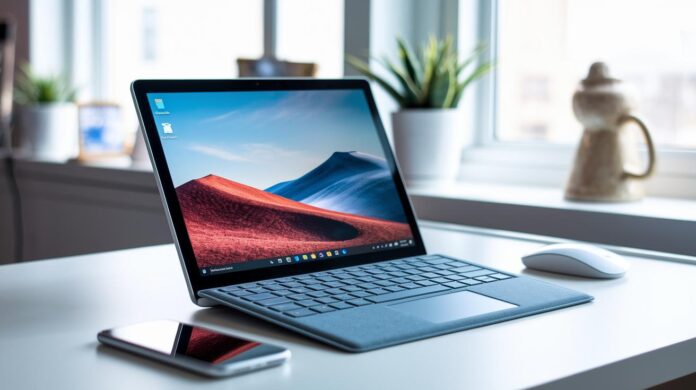
Ever thought a laptop could feel like a work of art? The Surface Laptop 5 may just change your perspective. It boasts an elegant metal frame paired with a sharp 15-inch touchscreen that turns every interaction into a visual delight. With its sturdy Intel processor handling everyday tasks and creative projects with ease, this laptop beautifully blends refined design with reliable performance. In short, it’s both stylish enough to stand out and capable enough to get serious work done.
Surface Laptop 5 review: Verdict at a Glance
The Surface Laptop 5 strikes a fine balance between top-notch materials and a visually refined experience. Its 15-inch 3:2 touchscreen (2,496 × 1,664) delivers a clarity that goes well beyond standard Full HD, and its slim metal frame, with a bottom thickness of just 0.5 cm, and a light weight of 1.6 kg put it among the most portable in the 15-inch category. In fact, its sleek metal design feels almost weightless, offering a fresh take on portability.
Beneath the hood, the laptop houses an Intel Core i7-1255U processor that runs between 2.6 GHz and 4.7 GHz over 10 cores and 12 threads. This means it handles everyday tasks like office work or creative projects with ease. Benchmarks show a GeekBench multicore score of 8,110 and a single-core score of 1,593, which tell you it’s perfectly capable for routine use even if it’s not the fastest in the multi-core race. Cinebench R15 scores affirm its reliability, and the 47 Wh battery ensures a full day’s performance under normal conditions, though its endurance lags behind some AMD-based models.
On the connectivity side, you get a single Thunderbolt 4 port, 16 GB of RAM, and a 512 GB SSD that keeps everything running smoothly. However, at a price of €2,079, the Surface Laptop 5 sets a high standard for what you expect in terms of value.
Surface Laptop 5 review: Design and Build Quality

The Surface Laptop 5 welcomes you with a sleek, modern vibe, thanks to its expertly machined aluminum shell. It comes in five eye-catching shades, including black and platinum, striking a balance between refined elegance and contemporary simplicity. The angular design isn’t just stylish, it also lends a streamlined look that fits perfectly in professional workspaces or creative studios. Its premium metal finish immediately signals quality, staying true to the classic design while adding subtle enhancements. For example, the diverse color choices let you pick a look that truly reflects your personal taste, making it a standout piece on any desk.
The build quality is impressive too, with exceptional rigidity and solid construction. With a bottom deck just 0.5 cm thick and weighing only 1.6 kg, this model is one of the lightest in the 15-inch category. The familiar hinge design, carried over from the Surface Laptop 4, offers a secure, satisfying feel during everyday use with hardly any flex when pressed. Still, a few users may notice a slight hinge wobble when tapping firmly on the screen, a minor quirk in an otherwise robust build.
- Slim profile with a 0.5 cm thick bottom deck
- Wide selection of five distinctive colors
- Premium metal finish with minimal flex in build inspections
- Minor hinge wobble noticeable under firm pressure
Surface Laptop 5 review: Display and Input Experience
The Surface Laptop 5’s 15-inch PixelSense touchscreen isn’t just a display, it’s a vivid window into your digital world. With its 3:2 aspect ratio and a crisp resolution of 2,496 × 1,664 pixels, colors naturally pop, giving images a vibrant, lifelike quality that goes well beyond standard Full HD. Its anti-reflective coating works hard to keep glare at bay, so whether you’re under bright office lights or a sunny outdoor setting, your screen remains clear. Imagine exploring detailed graphics where every nuance of shade and contrast is faithfully reproduced, a real treat for your eyes.
Touchscreen Performance
When you interact with the screen, you’ll notice the tap accuracy is consistently reliable. The sensitivity holds strong even during brisk taps, making every interaction feel smooth. There is a subtle hinge wobble when you tap harder, but it’s a minor quirk that rarely gets in the way of your daily tasks. Overall, scrolling through content or navigating interactive features feels effortless and fluid.
Keyboard and Trackpad
Typing on the Surface Laptop 5 is a pleasant experience, thanks to its spacious keyboard layout with 1.3 mm of key travel. Each keystroke offers a satisfying tactile response, whether you’re sending quick emails or working on a long document. The sleek, flat keycaps add a modern touch while remaining highly responsive. Meanwhile, the clickpad is impressively precise, capturing gestures accurately to ensure smooth cursor movement and dependable multitouch functions. Sure, you might occasionally notice a slight hiccup with palm rejection, but it hardly disrupts your flow.
Together, these input features create an interface that’s both intuitive and versatile, perfect for productive office work or creative projects. Combined with the sharp display and responsive touchscreen, the Surface Laptop 5 proves to be a dependable companion for a wide range of tasks.
Surface Laptop 5 review: Performance and Thermal Management

At the heart of the Surface Laptop 5 is the Intel Core i7-1255U processor. This chip comes with 10 cores and 12 threads that are designed to balance fast performance with smart energy use. Two of these cores can rev up to 4.7 GHz for those burst moments, while the other eight ease into a steady pace of 3.6 GHz. Combined with 16 GB of LPDDR5 RAM, everyday tasks and multitasking feel fluid and effortless. Its Evo-certified internal layout might look traditional, but it smartly merges high clock speeds with energy efficiency.
Benchmark tests show that the Laptop 5 easily keeps up with daily productivity needs. GeekBench scores clock in at 8,110 points for multicore performance and 1,593 for single-core tasks, meaning it handles split processes pretty well. Cinebench R15 gives it about 1,231 cb which translates to roughly 76 fps – enough for multimedia projects and creative work. While it's great for light office applications, it might not keep pace with some many-core competitors when it comes to heavily parallel tasks. And if you push the laptop to its limits, you might hear the fans work a bit harder, though they stay generally quiet. Even when stretched over time, the surface reaches a peak of around 45 °C, showing that its thermal management is on point.
| Metric | Value |
|---|---|
| GeekBench Multicore | 8,110 pts |
| GeekBench Single-core | 1,593 pts |
| Cinebench R15 | 1,231 cb (76 fps) |
| Fan Noise | Approximately 38 dB under load |
| Peak Surface Temperature | About 45 °C |
Surface Laptop 5 review: Battery Life and Charging
The Surface Laptop 5 sports a 47 Wh battery, the same capacity as before, but in everyday use, it just doesn't go the distance like its predecessor. In real-life web browsing, you're looking at around 7 hours on a single charge. When you really push the machine with heavy tasks, that all-day battery promise slips away, leaving some users wishing for more lasting power.
Charging is handled via a USB-C port paired with a 45 W charger, which is great news if you’re always on the move. A full recharge takes roughly 90 minutes, so you can get back to work quickly without a long wait.
| Feature | Details |
|---|---|
| Average Screen-on Time | About 7 hours (web browsing) |
| Charger Wattage | 45 W |
| Full-Charge Duration | Approximately 90 minutes |
Surface Laptop 5 review: Connectivity and Ports Overview
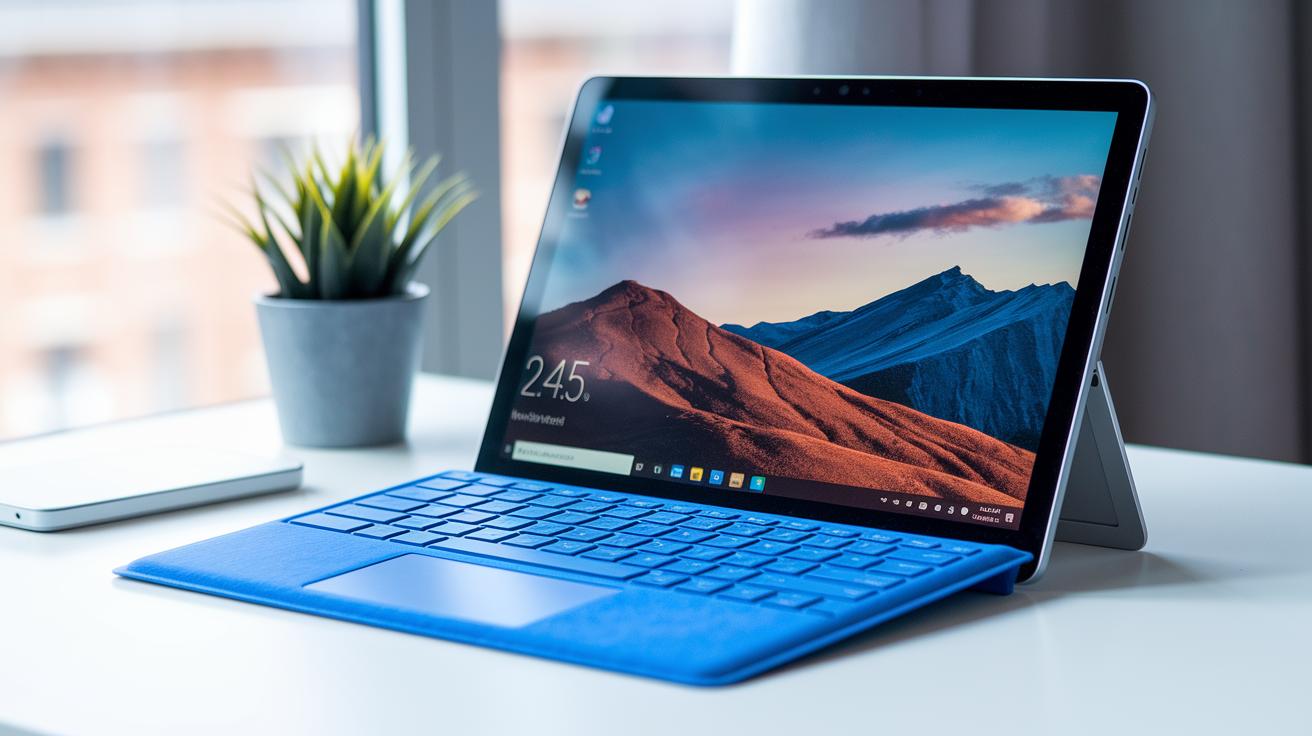
The Surface Laptop 5 comes with a thoughtfully chosen mix of ports designed for everyday use, all while keeping the design neat and uncluttered. You'll find a versatile Thunderbolt 4 / USB-C port that handles both data transfers and charging with ease. Plus, there's a USB-A 3.1 Gen 2 port for connecting older devices without a hitch.
The audio experience is rounded out with a trusty 3.5 mm headphone jack, and the Surface Connect port is there for proprietary docking and charging needs. Although it skips an SD slot, this deliberate choice helps the laptop maintain its minimalist profile without sacrificing the essential connectivity most users rely on.
In short, the Surface Laptop 5 provides just the right tools to keep your work and casual tasks running smoothly. It's like having the right pieces in your tech toolkit, making everything feel just that little bit simpler and more streamlined.
| Port | Quantity |
|---|---|
| Thunderbolt 4 / USB-C | 1 |
| USB-A 3.1 Gen 2 | 1 |
| 3.5 mm headphone jack | 1 |
| Surface Connect port | 1 |
Surface Laptop 5 review: Upgradeability and Serviceability
The Surface Laptop 5 makes it easy to upgrade storage if you ever need extra space or faster performance. It comes with a user-replaceable M.2 2230 SSD, so you can swap it out to suit your needs. The laptop even features a 512 GB NVMe drive that clocks in at a speedy 3,200 MB/s read rate, impressive, right? However, while the swap isn’t too complicated for those with a bit of tech know-how, Microsoft recommends leaving the job to a skilled technician to steer clear of any issues.
On the flip side, the RAM is soldered onto the motherboard, meaning you won’t be able to upgrade your memory later. Since the internal space is pretty restricted and the warranty only lasts a year, it's best to approach any repairs or tweaks with caution.
Tip: Consider a professional SSD upgrade for a boost in performance.
Tip: Always check drive compatibility before picking a replacement.
Warning: With the RAM soldered down, future memory upgrades aren’t an option.
Warning: The limited access inside means you might need expert help for any modifications.
Surface Laptop 5 review: Value Proposition and Market Comparison

At €2,079, the Surface Laptop 5 lands squarely in the premium category, designed with professionals in mind who appreciate a sleek, high-quality build. When you compare it to competitors like the Acer Swift 5 at €1,600 or the MacBook Air M2 at $1,199, that higher price tag definitely catches your eye. It boasts an innovative Thunderbolt 4 port and a refined exterior, but many wonder if the extra cost is more about polished design than a giant leap in performance.
Stacking it up against the Surface Laptop 4 makes the differences even more noticeable. The older model still delivers a similar elegant design and even better battery life at a friendlier price, whereas the SL5 brings only modest performance gains and updated connectivity. So, if battery endurance and cost-effectiveness are key for you, previous-generation systems or even AMD-powered alternatives might just hit the mark better than this latest iteration.
| Model | CPU | RAM | SSD | Battery (Wh) | Price | GeekBench multicore |
|---|---|---|---|---|---|---|
| Surface Laptop 5 | Intel i7-1255U | 16 GB | 512 GB | 47 | €2,079 | 8,110 pts |
| Surface Laptop 4 | Intel/AMD options | 16 GB | 512 GB | ~50 | Lower than SL5 | Comparable |
| Acer Swift 5 | Intel Core i7 | 16 GB | 512 GB | ~50 | €1,600 | N/A |
| MacBook Air M2 | Apple M2 | 8 GB | 256 GB | N/A | $1,199 | N/A |
Final Words
In the action, the blog broke down the Surface Laptop 5 review, covering its sleek design, crisp display, robust performance, and practical connectivity. We ran through key specs like the Intel i7, 16 GB RAM, and short yet effective battery life. The review also weighed the cost against similar models, offering a clear picture of value in today's competitive market. This Surface Laptop 5 review leaves us optimistic about smart tech decisions and confident in blending cutting-edge performance with everyday usability.
FAQ
What does the Surface Laptop 5 review reveal about its performance and design?
The review reveals that the Surface Laptop 5 features a bright 15-inch touchscreen, robust Intel Core i7 performance, and a premium, slim metal chassis that impresses in both design and everyday responsiveness.
What are the disadvantages of a Microsoft Surface laptop?
The review indicates that Microsoft Surface laptops often fall short in battery endurance, offer limited port options like a single Thunderbolt 4 port, and have fewer upgrade possibilities due to soldered components.
How long will the Surface Laptop 5 be supported by Microsoft?
The support lifespan for the Surface Laptop 5 follows Microsoft’s typical update cycle, ensuring several years of security improvements and feature updates after its release.
Is the Microsoft Surface Pro 5 a laptop?
The Surface Pro 5 is a versatile 2-in-1 device meant to function both as a tablet and a laptop when paired with a detachable keyboard, though it may not fully replace a traditional laptop for everyone.
Are Microsoft Surface laptops considered good value?
Microsoft Surface laptops are praised for their premium build and responsive performance, though their higher price tag may lead some buyers to compare features and battery life against other comparable models.
When was the Surface Laptop 5 released?
The Surface Laptop 5 release date is confirmed in official announcements, aligning with reviews that focus on its updated features and improvements over previous models.
How is the battery life of the Surface Laptop 5?
The Surface Laptop 5 is reported to offer around 7 hours of web browsing on its 47 Wh battery, which is slightly shorter than its AMD-based predecessor, impacting all-day usage under heavy loads.
How does the Surface Laptop 5 compare to earlier models like the Surface Laptop 4 or Surface Pro 4?
The Surface Laptop 5 offers enhanced performance with an upgraded Intel Core i7 and updated connectivity while retaining a familiar design, making it an attractive upgrade for those seeking modern refinements over earlier models.
What distinguishes the Microsoft Surface Laptop 5 15″ Core i7 model?
The 15-inch Core i7 model stands out with its high-resolution PixelSense display, powerful processing capabilities, and lightweight design, appealing to users who value both performance and portability.
What do reviews on Notebookcheck say about the Surface Laptop 5?
Notebookcheck praises the Surface Laptop 5’s sharp screen and competitive benchmark scores while noting limitations in battery endurance and a sparse port selection that may affect some users.
How do Surface Pro 7 and Surface Pro 11 Copilot+ PC 13 compare to Surface laptops?
While Surface Pro 7 and Surface Pro 11 Copilot+ PC 13 excel in offering hybrid tablet functionalities, Surface laptops focus on a traditional posture with an emphasis on design, performance, and a more integrated laptop experience.